Google Lens for clothes: what it finds, and where it stops
Google Lens is free and genuinely good at finding a similar image. Where it stops is the full-body photo, which comes back as one set of look-alikes rather than a result per garment.
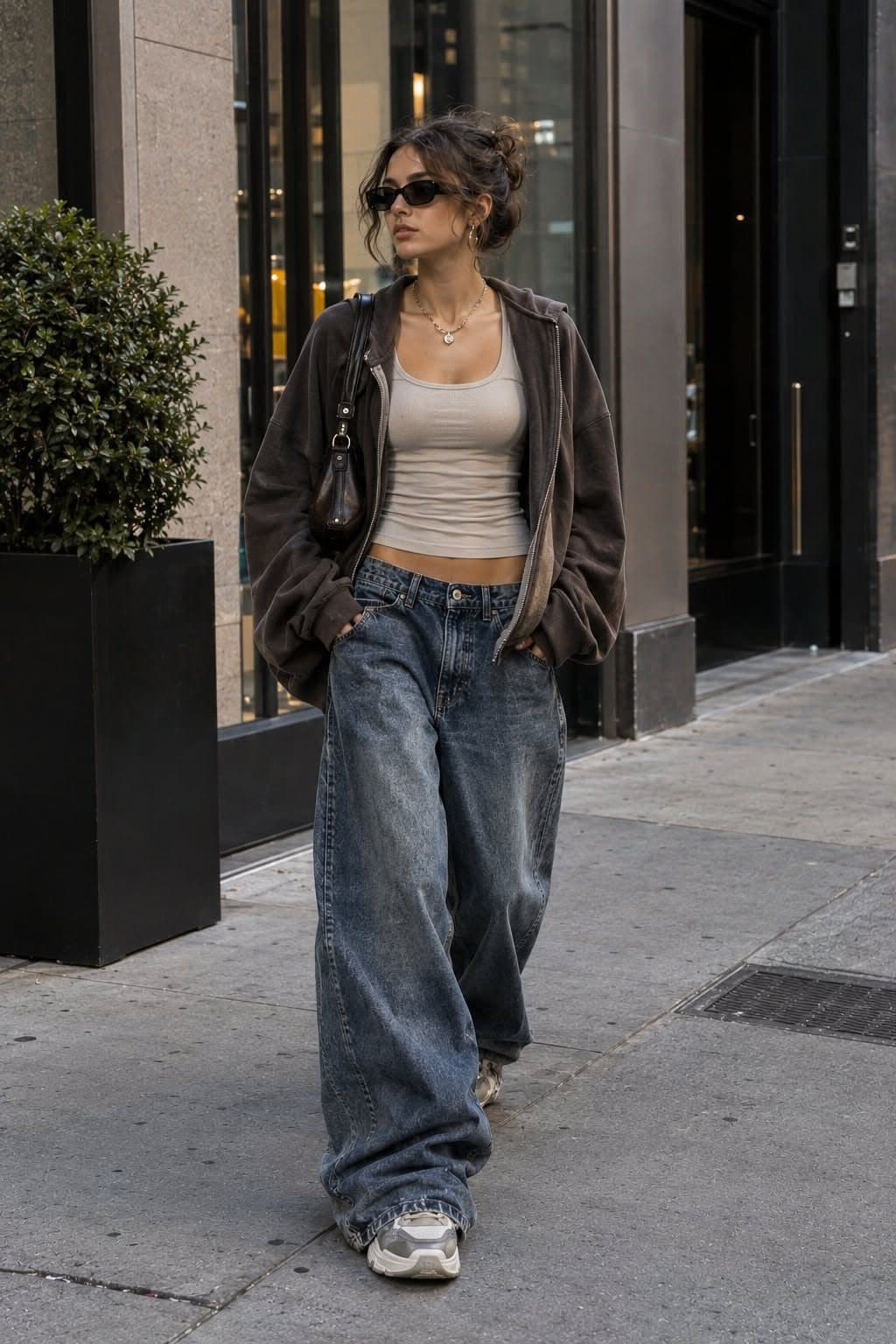
Google Lens is free, fast, and very good at finding a visually similar image. For one clear, well-lit object it is enough, and it costs you nothing, so use it. Where it stops is the outfit photo. Lens searches the frame as a whole, so a full-body picture comes back as one set of look-alikes for the whole look rather than a result for each garment in it.
The short version
- For one clear, well-lit object, Google Lens is enough and it costs nothing. Nothing on this page is an argument against using it for that.
- Koral is not claiming to beat anyone at raw image matching. What differs is the question asked and the answers kept.
- Lens searches the frame as a whole, so a full-body photo comes back as one set of look-alikes rather than a result for each garment in it.
- The differences are all in the question asked and the answers discarded: one search per garment, a query written for shopping rather than for a mood, and the pages that sell nothing dropped outright.
- Lens wins outright on anything that is not clothing, on finding where an image appears online, and on price. Those are not close calls.
What is different, and what is not
Koral is not trying to win at image matching. Comparing two photographs at web scale is a solved and heavily funded problem, and there is no secret engine here that quietly does it better. This page is not going to claim one.
That rules out the comparison people expect to read here. Koral does not claim to match images better than Google does, and any page claiming a breakthrough on that front is worth reading sceptically. Nothing that finds clothes from a photo is winning on raw visual similarity, so the interesting question was never whose matching is better. It is what gets sent in, and what gets thrown out.
So the honest version of the difference is narrow and checkable. What gets searched is a cropped single garment rather than a whole photograph. The query attached to it is built for clothing rather than for objects in general. And the results are put through filters that have nothing to do with visual similarity and everything to do with whether the thing can be bought. Every claim below is one of those three, and none is a claim about matching.
The matching is not the hard part. The question is.
What Google Lens is genuinely good at
Lens is one of the most useful free tools on a phone, and the concession this page opens with is not a formality. Point it at a single object with clean edges and decent light and it will tell you what that object looks like, where that image appears, and often what it is called, in about two seconds and without an account. A shoe on a shelf. A jumper laid flat. A product photo from a listing. In each of those cases the frame contains one thing, and asking "what does this frame look like" and asking "what is this garment" are the same question.
It is also the right answer for a whole category of things a clothes search cannot touch. A plant, a building, a breed of dog, a menu in a language you do not read. Lens is a general visual index of the web, and being general is the feature. Any page that treats that breadth as a weakness is selling you something.
And it is unmatched at the job it was built for, finding where an image lives. If you want the original post, the board it was pinned to or the article that ran it, Lens beats any shopping tool, because a shopping tool spends most of its effort removing exactly those results.
If your photo already shows one garment and nothing else, run it through Lens before anything else. If it comes back with the item, you are done, and you have not spent anything.
Where it stops: one photo, one answer
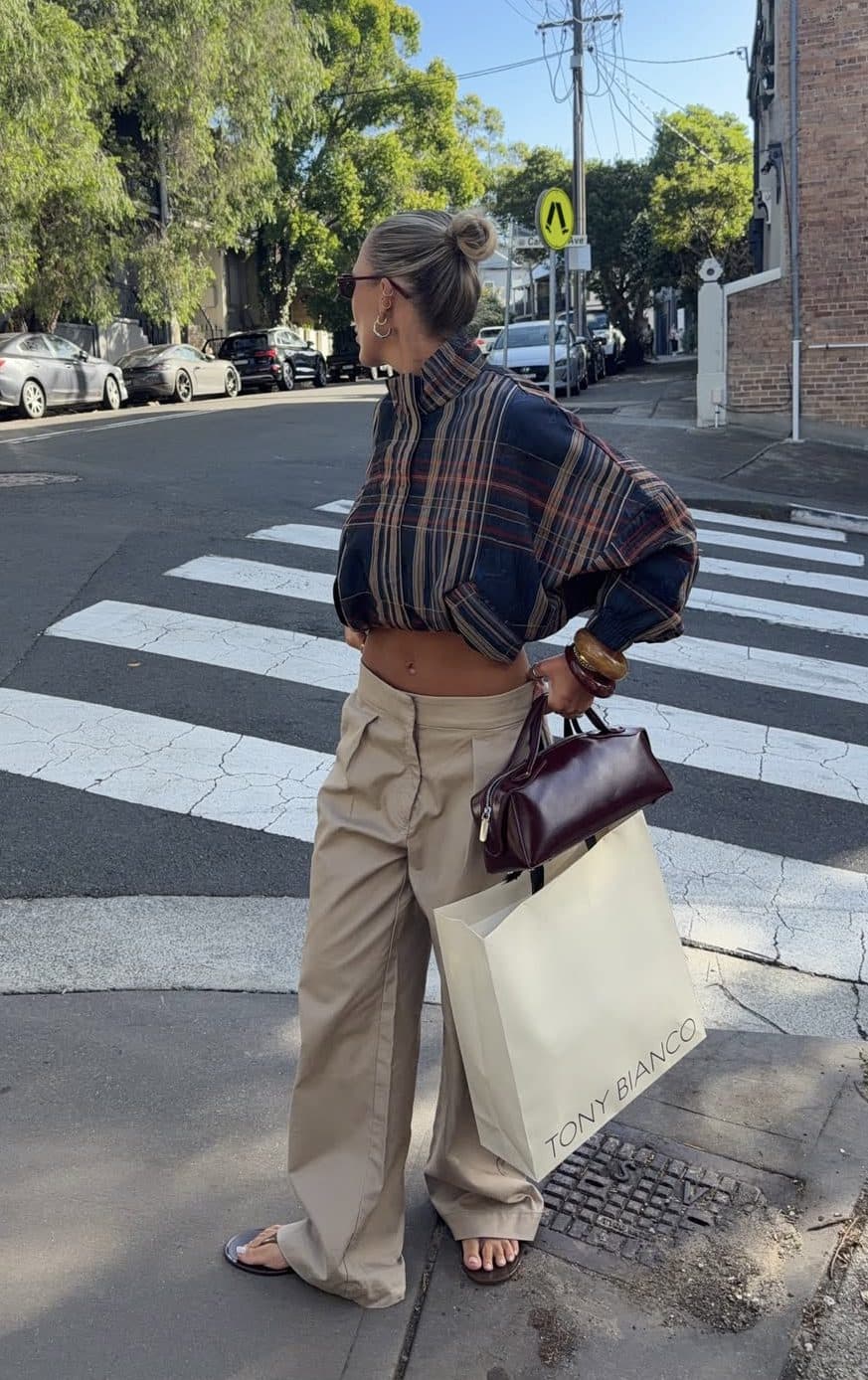
The full-body outfit photo is the case that breaks. A picture of somebody in a coat, a jumper, jeans and boots contains four garments, but it is still one image, and a whole-frame visual search compares the whole frame. What comes back resembles that composition: the same pose, the same palette, quite often the same photo republished elsewhere. It is a correct answer. It is just an answer about the picture rather than about any garment inside it.
You can work around this by cropping to one item and searching again, and if you only care about one piece that is a perfectly good fix that costs nothing. What you cannot do by hand is get four separate, properly scoped answers out of one photo in one pass.
- 1
The background comes off before anything is detected
Background removal runs on the uploaded photo first, and only then does object detection look at what is left. This is the reason the most repeated tip about photographing against a plain wall does nothing here: the wall is already gone by the time anything is being matched.
- 2
The photo is read as several garments, not one picture
A full-body shot is understood as a coat, a jumper, jeans and boots rather than as a single composition. Anything in the frame that is not a garment is set aside, which is why a bag on a chair or a second person in the background does not end up competing for the answer.
- 3
Each garment is cut out and searched on its own
Every garment becomes its own crop, and every crop gets searched by itself. That is the single structural difference on this page. The question being asked is about a coat, then about the jeans, then about the boots, rather than one question about a photograph that happens to contain all three.
- 4
A crop too small to be worth searching is held back
A garment that resolves to a tiny patch of the frame is not matched on its pixels at all. There are too few of them for a visual comparison to mean anything, and a confident answer built from them would be a guess. That piece is carried by a description instead.
- 5
What comes back is filtered before you ever see it
Results are checked against where you are searching from, against whether the shop is one worth sending you to, and once more against the garment in the photo itself. A real product from a real shop can still be dropped here for being the wrong category, which happens constantly on an uncropped photo.
There is a limit on how many garments come out of one photo, and it is a real ceiling rather than a figure of speech. The pieces furthest down the head-to-toe order are the ones that drop on a crowded shot. It is also why a group photo needs cropping first: the limit is per photo, not per person.
What happens to the query before the search runs
A crop is not the only thing sent. Every garment carries a short keyword query too, built rather than typed, under rules that exist because clothing search fails in predictable ways.
Queries are gendered, and not as an afterthought. It sounds trivial and it is one of the largest single sources of junk in clothing search, because a black wool coat is two different products depending on which department it hangs in, and an image alone never says which.
The occasion does not survive. Wedding, party, date night, festival, work: they describe your evening rather than the garment, and they pull in everything a retailer has ever tagged for an occasion. What gets searched for is the object, and a brand name if one is visible, which is carried through as you wrote it rather than softened into keywords.
Cut matters more than colour on bottoms. Jeans, trousers, shorts and skirts are almost never plain enough to be found by words alone, because straight, skinny, bootcut, wide-leg, baggy and tapered all compress into the same typed query while describing six genuinely different garments. So those pieces lean on the picture, where the line of the leg is visible without anyone having to name it.
blackkneebootsforafestival
The occasion goes and the department is made explicit, because that is the version of the question that returns boots rather than everything a shop has ever filed under festival.
The plain background tip does nothing here
The most repeated piece of advice about searching clothes by photo is to shoot the garment flat against a neutral wall, and some pages attach a precise-sounding percentage improvement to it. That figure is published with no source behind it. It is worth noticing how often numbers in this space arrive that way, because a number is the most quotable thing a page can contain and the easiest thing to invent.
Against how this actually works the advice is simply inert. Background removal runs before detection, so by the time anything is being located or matched, the wall behind the outfit is already gone. A busy bedroom, a crowded street and a plain white studio all arrive at the same stage looking the same. Rearranging your room before taking the photo buys you nothing.
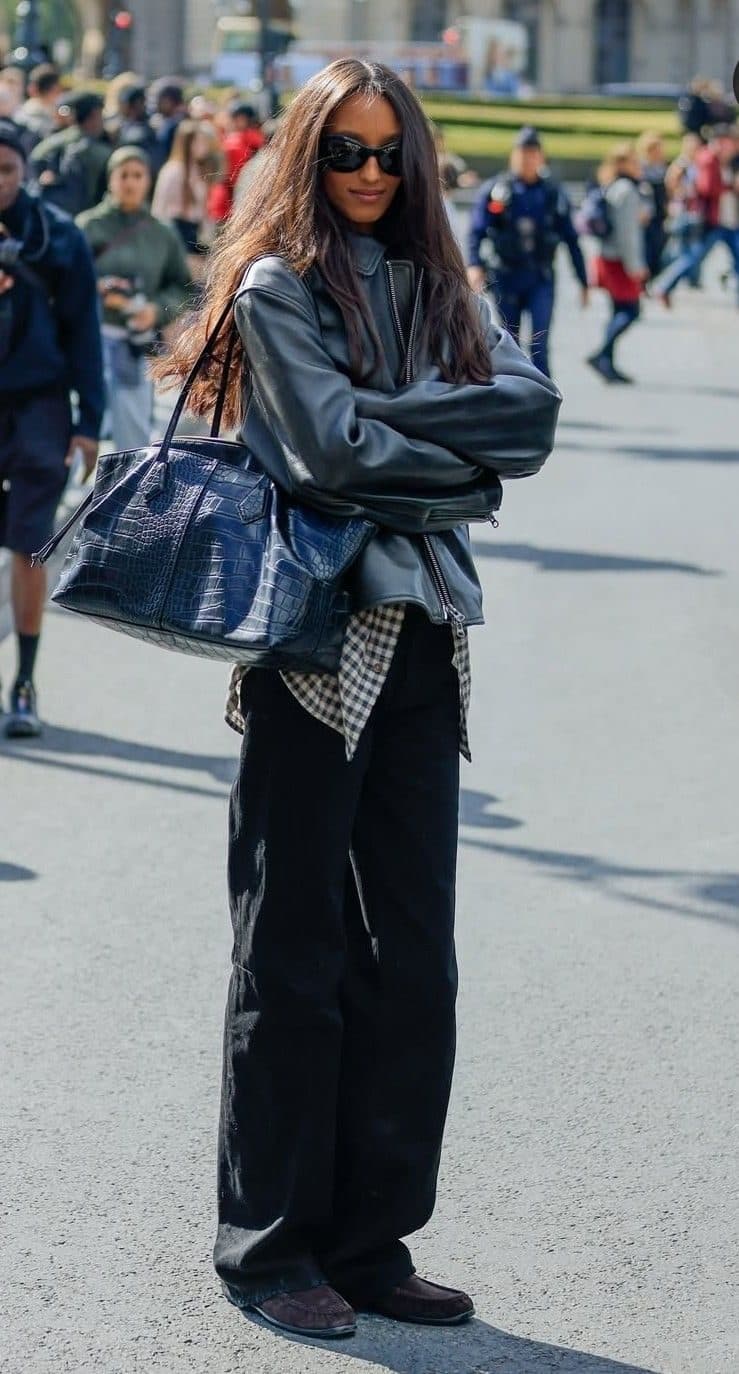
What does help is much duller. Get the garment large enough in frame to be matched on at all. Avoid the frames where the fabric is moving, because motion blur removes detail that no later stage can restore. And crop out other people, because the search reads the frame rather than your intention.
A tip that sounds like expertise and changes nothing is still noise. It just costs you more to follow.
Why Lens hands back Pinterest boards and blog posts
This is the single most common complaint about using Lens to shop, and the frustrating part is that Lens is not malfunctioning when it happens. It is being right. A street style photo has usually been reposted to Pinterest, embedded in three blogs and run in a magazine roundup long before any shop photographs something similar, so the images most visually identical to the one you searched genuinely are the reposts. Lens is answering the question it was asked, accurately. The question was just never "where can I buy this".
Koral drops those results rather than ranking them low, and the line is specific rather than a vibe. Two kinds of site never come back. The first is everything that carries fashion images without selling any clothes: social platforms, blog hosts, magazines and the aggregators that sit between you and a shop. The second is the marketplaces built around selling copies of designs they did not create, Temu, AliExpress and DHgate among them.
The middle tier is the more interesting one, because it is where a lazy version of this product would cheat. Resale is held back rather than blocked, and the big general marketplaces, Amazon and Walmart, are treated the same way. Held back means excluded unless resale is genuinely where the item lives: when second-hand listings are a real share of everything that came back, they are included in full, because for a sold-through piece that is the honest answer rather than clutter. Below that they are dropped.
Region filtering does the rest. Across the regions Koral covers, the UK, the US, the EU, Australia and Canada, anything priced in the wrong currency or sold on a domain that does not serve where you are is removed rather than ranked low. It is why the same photo returns two different lists in two countries, and only one of them is one you can check out from.
Lens, Pinterest and a clothes search side by side
Split by what you are trying to get out of the search rather than by which tool feels more capable, Lens takes three rows outright.
| What you are asking for | Google Lens | Pinterest Lens | A clothes search like Koral |
|---|---|---|---|
| One clear object, identified fast | Excellent, free, no account needed | Good, if the object is a saved aesthetic | Works, but heavier than it needs to be |
| Anything that is not clothing | The whole point of it, plants to landmarks | Interiors and food, mostly | Nothing at all, it only reads garments |
| Where an image appears on the internet | The best answer available anywhere | Where it was pinned, not where it came from | Not what it is for, those domains are blocked |
| Every garment in a full-body photo, separately | One set of look-alikes for the whole frame | Similar pins for the whole look | Each piece cropped and searched on its own |
| A stocked listing in your own currency | Sometimes, mixed in with pins and articles | Only where a pin happens to be shoppable | The only kind of result kept |
| Changing the answer after you have seen it | Start again with a different crop | Keep scrolling the related pins | Say what is wrong and the search re-runs |
| What it costs | Nothing | Nothing | A paid product |
The row worth dwelling on is the second to last. A visual search hands you a fixed list and leaves you to crop and try again if it is wrong. Saying "cheaper" and having the ceiling come down, or naming a retailer and watching it drop out, re-runs a real search rather than re-filtering what you were already shown, and attributes you set earlier stay set.
Where Lens is the better tool, and where neither one saves you
This page argues for one specific job, so it is worth being exact about where the free tool is the right answer, and about the limits no amount of filtering removes.
- For one clear object, Lens is enough and it is free. A single garment on a hanger, a shoe against a plain floor, a product shot with nothing else in the frame: there is no second garment to separate out, no crowd of results to filter, and nothing a paid tool adds to the answer. Reaching for something heavier there is a worse decision, not a better one.
- For anything that is not clothing, Lens is the only one of the two that works. A plant, a landmark, a book cover, a page of text you want translated, a part you need to reorder. Koral reads garments and nothing else, so it will not merely be worse at those, it will return nothing at all.
- For finding where an image came from, Lens wins and the gap is deliberate. Tracking a photo back to the post, the board or the article it was published in is exactly what Lens is for, and it is exactly what Koral throws away, because those pages are dropped before the results are assembled. If the answer you want is the original source rather than a place to buy, this is the wrong tool by design.
- Naming an exact model is behaviour, not a promise. Where the visible evidence does not support a specific product, the honest output is the closest match rather than a confident name, and that is what you get. A tool that returns an exact model every time from a garment forty pixels wide is making it up, and there is no version of this that removes that limit.
- Blocking domains means returning fewer results, and sometimes none. If a discontinued piece now only exists on a resale listing or an aggregator page, a filtered search shows less than an unfiltered one does. Resale is held back rather than banned: Depop, Vinted, eBay and their equivalents are kept out unless they make up a real share of what came back, which is the honest signal that resale is where the item lives.
Frequently asked questions
Related guides
Same photo. A better question asked of it.
If the picture shows one clear garment, Lens is free and it will probably do. If it is a whole outfit you want to buy, drop it into Koral: each piece gets cropped and searched on its own, and what comes back has already had the pins, the magazine pages and the replica marketplaces taken out.
Start a searchbaggyjeansfordatenight
What actually reaches the search, every time.