How People Actually Shop From Screenshots Now
Camera rolls have quietly become shopping lists. A look at five shifts in how people go from seeing something online to actually buying it.
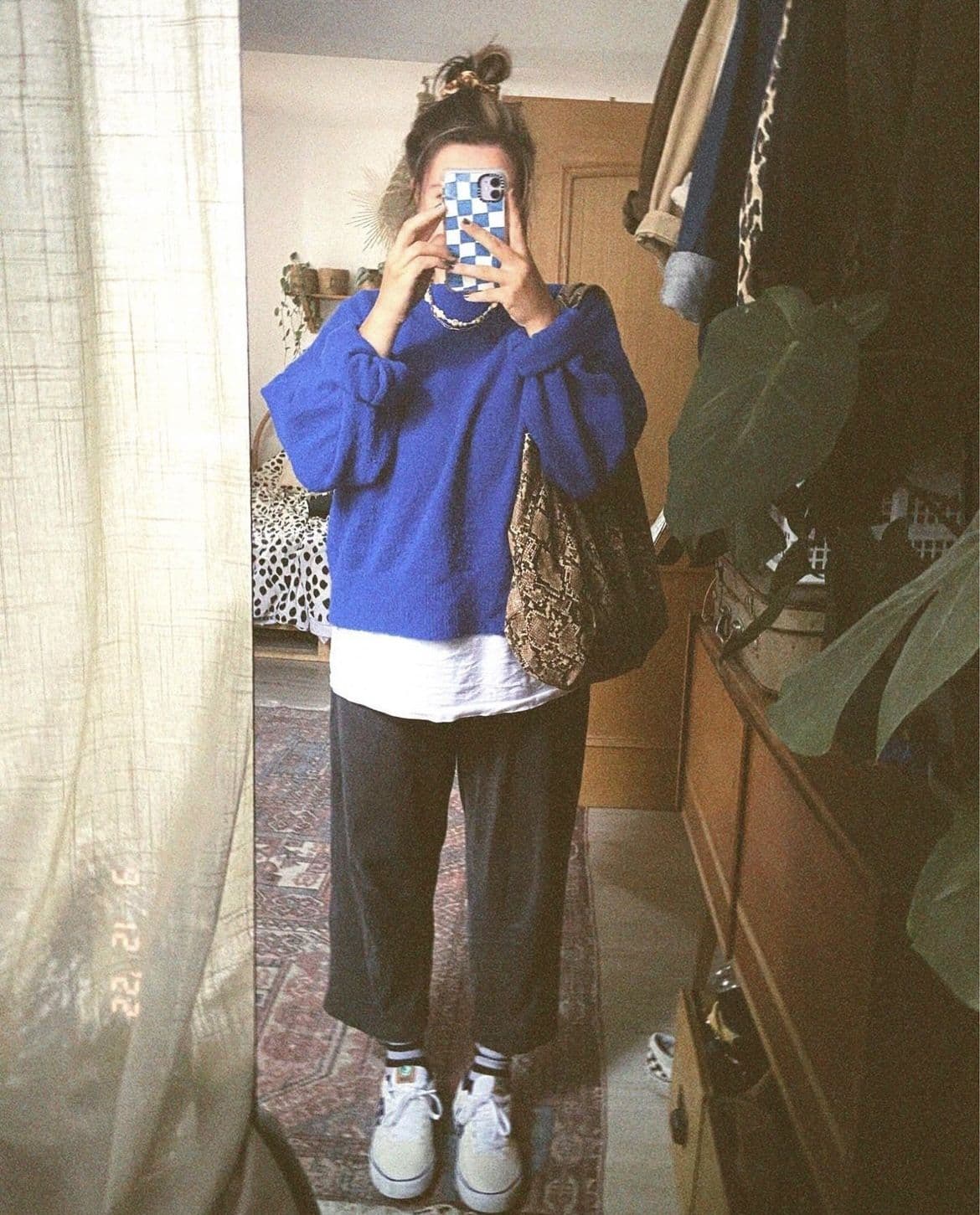
Koral is built for this exact habit: hand it the screenshot you already took, and it crops the interface furniture away, reads the garments left in the frame, and searches each one against live retailer stock. Screenshotting is now how most people save an outfit. Turning that screenshot into a checkout page is the part that never got easier.
The short version
- The screenshot has replaced the saved link, because it takes one gesture, never makes you leave the app, and works on things that have no link at all.
- What gets saved is a picture of a screen. The caption, the counters and the action rail are baked into the same pixels as the outfit.
- Saving got instant. Going from a saved image to a checkout page did not, so the last stretch is still done by hand: crop, guess at words, search, scroll, settle.
- People now expect to fix a bad set of results by saying what is wrong with it, rather than rewriting the search and hoping.
- Koral takes the screenshot as it is, crops away the parts that are not clothes, and searches each garment out of the one photo separately.
Why the screenshot won
There were always tidier ways to hold onto an outfit. Every app has a bookmark, a save-to-collection, a share sheet, a link you can send to yourself. The screenshot beat all of them, and not because it is better. It won on gesture count. Two buttons while the video keeps playing, no folder to choose, no menu, no leaving the thing you were already watching.
It also works on everything the tidy options cannot touch. A story that expires tomorrow. A paused frame of a show. An outfit in the background of a friend's photo. An ad that will never surface in your feed again. A post whose author deletes it a week later. In all of those the screenshot is not the lazy save, it is the only save, and once a habit works for the hard cases it takes over the easy ones too.
The cost is paid later. A bookmark keeps a link, which keeps a product page, which keeps a brand, a price and a size chart. A screenshot keeps pixels. Whatever the post knew about the outfit is gone the moment the shutter sound plays, and everything after that is reconstruction.

A screenshot is the fastest save there is, and the least useful thing to be left holding.
The workflow nobody designed
Ask somebody to talk through how they actually bought something they saw online and you get a sequence no one would have drawn up on purpose. It runs seven steps, only the first of which is quick, and it ends in a shrug more often than a parcel.
- 1
The save takes about a second
Two buttons while the video is still playing. No folder to choose, no app to leave, no decision to make. This part of it is genuinely solved.
- 2
It lands between a parking sign and a receipt
Screenshots go where photos go, filed next to proof of a train ticket and a picture of a fridge shelf. Nothing about the file records that it was a shopping intention rather than admin.
- 3
Days later, the scroll back
You remember the coat but not the day, so you thumb upward through a month of unrelated pictures looking for a thumbnail you will recognise on sight.
- 4
The description attempt
You type what you think you saw. "Brown oversized leather jacket" returns every brown oversized leather jacket, and nothing narrows, because the words you have are the words everybody else used too.
- 5
The manual crop
You cut the screenshot down to the jacket, because you have learned the hard way that leaving the caption and the like rail in the frame makes the result worse.
- 6
The generic image search
Which is good at finding where a picture lives and bad at finding where a garment sells. It hands back the original post, a few boards that reposted it, and a stock site.
- 7
The comment check, then the shrug
Someone already asked where it was from. Nobody answered. You either give up or buy the nearest thing you can find, which is the outcome the whole habit was supposed to prevent.
A screenshot is a picture of a screen
This is the part that makes screenshot shopping harder than it looks. A photo of an outfit contains an outfit. A screenshot of a post containing an outfit contains an outfit and an interface. The caption, the comment count, the like and share rail down the right edge, the small counter saying this is image one of eight, the status bar with your battery in it: all of it is pixels now, and to an image search it is no more or less meaningful than the coat.
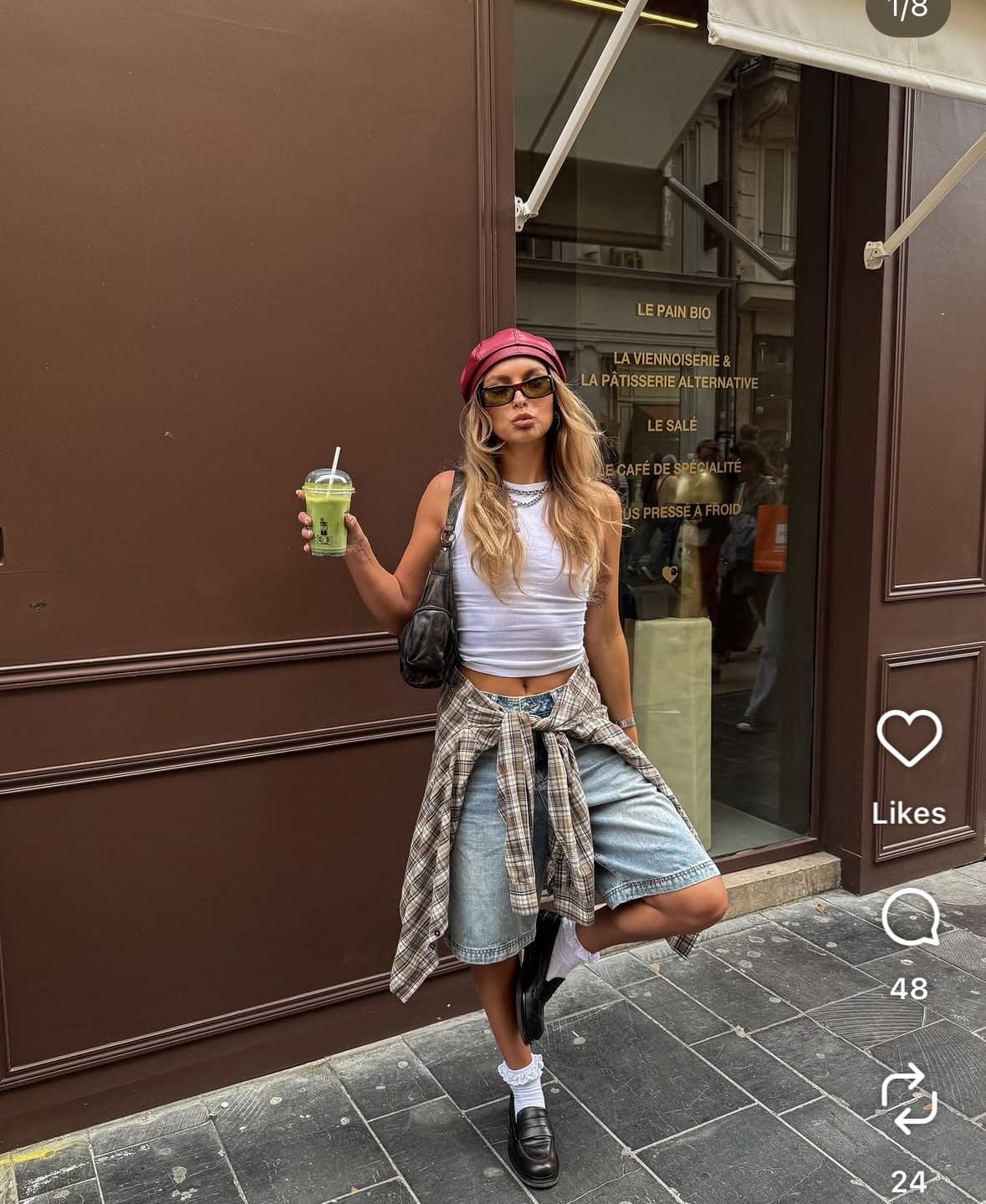
Koral works out which part of the frame is the photograph, leaving a little room around the edges so nothing gets shaved off.
Most people solve this by hand, cropping before they search, which is exactly why step five of that list exists. Koral does it before the search runs. The useful trick is to work the problem backwards: rather than hunting for interface elements and cutting them off, it looks for the real-world things in the frame and keeps what surrounds them. A caption and a like button are not real-world things, so they fall outside what gets kept, and what is left is the photograph inside the screenshot. No rule about where an app puts its buttons, and nothing to update when an app moves them.
A little room is left around the edges so a crop never shaves a sleeve off, and the whole step is skipped on a picture that is already almost all clothes, on the grounds that a clean, uncluttered photo should not be tightened for no reason. A screenshot that is mostly interface gets cropped hard. A photo you took yourself gets left alone.
One screenshot, every piece in it
Once the frame is down to clothes, the question stops being where the picture came from and starts being what is in it. Koral works from a garment taxonomy rather than generic object labels, one that separates a skirt from a dress and a boot from a sandal instead of filing them all under clothing. Each garment it detects is cropped out and searched on its own.
Results come back head to toe, with outerwear ranked ahead of tops, because a coat is the outermost thing actually visible in the shot rather than the most important thing in it. Footwear gets a pass of its own on top of that: shoes take up a tiny fraction of a full-body screenshot, so a separate zoomed look at just the shoe asks which well-known model it most resembles. A confident answer replaces the generic query with a model-specific one. An unsure answer leaves the generic query alone rather than sending out a guess.
Four is a real ceiling rather than a soft one. There are five things worth buying in the photo below if you count the bag, and a search of it comes back with four.
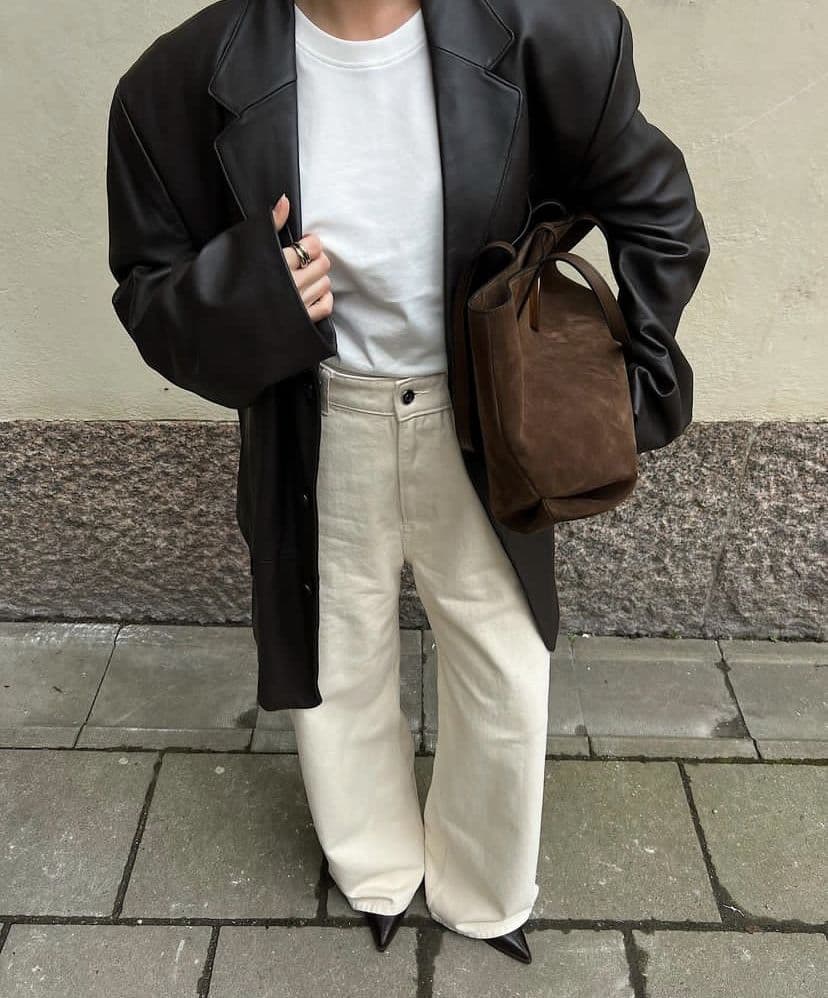
- 01OuterwearCropped out and searched on its own. Ranked first because it is the outermost layer visible, not because it matters most.
- 02TopIts own crop, its own search. Top and outerwear are treated as interchangeable, since overshirts and zip-knits straddle the line.
- 03BottomsNever routed to a text-only search, because fit and cut define trousers far more than colour does.
- 04BootsFootwear gets a second, zoomed pass of its own, since shoes are a few hundred pixels in a full-body shot.
And when you type it instead
The same rules apply when there is no usable photo and you describe it in words. Occasion words come out of the query before it runs, because "wedding" and "date night" name an event rather than a garment and dilute the match. Queries are gendered rather than left neutral, which sounds trivial and is the single biggest source of junk in clothing search. For trousers and skirts, fit and cut are weighted over colour, because the silhouette is what makes them the trousers you meant.
datenighttrousers,chocolatebrown
The occasion goes, the department is made explicit, and for trousers the cut outranks the colour.
Saying what is wrong beats starting over
The other genuine shift is in what people expect after the first set of results lands. The old move was to rewrite the search: change the words, run it again, hope. Increasingly the expectation is that you can just say what is wrong with what came back, in a sentence, and watch the results move.
On Koral that maps to something you can check rather than a vague promise. Say "cheaper" with no number and the next pass runs under a lower price ceiling, and a fresh pool of products is fetched instead of the list you already have being filtered down, so genuinely cheaper items can surface rather than the same results minus the expensive ones. Name a retailer you do not want and it drops out. Ask to swap the jacket for a blazer and only that item is searched again, while the rest of the outfit stays exactly where it was.
Anything locked in earlier stays locked. A colour you set three messages ago survives a later message as vague as "try another option", which is the whole difference between refining a search and restarting one.
Cheaper. Not that retailer. More like the third one. A short correction moves results further than a rewritten description does, because everything you already said is still applied.
Where the results are allowed to come from
A screenshot almost always came from somewhere that is blocked. Pinterest, Instagram and TikTok are on the blocked-domain list, along with the magazine and blog domains that recirculate the same photos, because a search that returns the post you screenshotted has answered a question you did not ask. You already have the picture. Verified retailers are pulled first instead, which in practice means the shops that actually stock the thing: Zara, ASOS, Selfridges, Nike and the rest.
At the other end of that list are the marketplaces built around cheap replicas. Temu, AliExpress, DHgate and Wish are blocked outright rather than ranked low, which is a deliberate decision and worth stating plainly rather than dressing up as curation.
Resale sits in between, and the honest version of it is a test rather than a principle. Depop, Vinted, eBay and the rest are left out by default and only included once they are a real share of what would otherwise come back, which is to say once secondhand is genuinely where that item lives now. That mirrors the last shift worth naming in the habit itself: people stopped treating resale as a separate hunt on a separate app, and started expecting a secondhand listing to sit in the same list as a retailer, so long as it is really there and not padding out a thin page.
Region is the quiet half of the same job. Whichever of the five supported regions you are searching from, UK, US, EU, AU or CA, currency and retailer domains are matched to it, so the listing you tap is one that will actually sell you the thing.
How the ways of saving an outfit compare
Every method of holding onto an outfit trades something away. Here is what each one actually leaves you with.
| Where the outfit goes | What you are left holding | Works with no link | Gets you to a checkout page |
|---|---|---|---|
| Screenshot to the camera roll | A picture of a screen. No brand, no price, no size | Yes, and it is the only save that always does | Only if you search the image afterwards |
| In-app save or bookmark | A link back to the post, for as long as the post survives | No | Only when the post was already a product page |
| Sending it to yourself in a DM | A message thread you will scroll straight past | Sometimes, if the app lets you forward it | No |
| Asking in the comments | An answer occasionally, on somebody else timing | Yes | Only if a stranger bothers to reply |
| The screenshot into Koral | Listings for each garment visible in the frame | Yes | Yes, that is the entire job |
Where this does not work
A page about a habit is easy to overstate, so here is what this one is not.
- This is an editorial read on a habit, not a study. There is no sample size behind it and no survey to cite, and if you want a number for how many people shop this way, we do not have an honest one to hand you.
- The habit does not hold evenly. Plenty of people still bookmark religiously, still send themselves the link, and would still rather open ten retailer sites than type "cheaper" into a chat box.
- No shift in habit fixes a bad photo. A screenshot of a screenshot, a heavy crop, a dim frame taken at two in the morning: the search still has to see the collar, the cut and the sole, and it cannot invent detail the pixels never had.
- The content crop is a heuristic and it can be wrong. It is deliberately skipped whenever the subject already fills most of the frame, so a screenshot that is mostly interface around one small photo is the case most likely to leave clutter behind.
- There is a hard ceiling on how many garments come out of one photo, and it is per photo rather than per person, so a group shot has to be narrowed to one outfit first. Some items have no match to find at all: bespoke, vintage from a shop that closed, or discontinued by the brand that made it.
Frequently asked questions
Related guides
Screenshot it. Let Koral do the finding.
The screenshot is already in your camera roll, interface furniture and all. Drop it into Koral and it crops away everything that is not clothes, searches each garment it can see against real retailer stock, and hands you somewhere to buy them. If the first set is close but not right, say what is wrong and it moves.
Start a search