What Is Screenshot Shopping?
A plain-English definition of screenshot shopping: what it means, how it differs from a normal reverse image search, and the situations it actually solves.

Screenshot shopping is what Koral calls searching for the real, buyable pieces of an outfit starting from a screenshot instead of a clean photo. Koral crops the captions, the buttons and the app furniture out of the frame first, then searches each garment that is left on its own. The screenshot is the evidence you happen to have. The job is turning it into a checkout page.
The short version
- Screenshot shopping starts from an image you already have, grabbed off someone else's feed, rather than a photo you set out to take.
- A screenshot arrives carrying things that were never part of the outfit: a caption, a handle, a play button, a progress bar.
- Koral cuts that furniture away before it searches anything, then reads what is left as an outfit rather than as one flat picture.
- Each garment in the cleaned-up frame gets its own crop and its own search, rather than one search for the whole picture.
- Results come back head to toe from retailers that actually stock the pieces, never back to the app the screenshot came from.
What screenshot shopping actually means
It nearly always starts the same way. You are scrolling, an outfit stops your thumb, and you take the fastest action available before it disappears up the feed. You screenshot it. Not the product page, not the brand, not a link that goes anywhere useful. A picture of your own screen with someone else's outfit on it.
That file is now the only record of the thing you wanted. The video is thirty swipes back and the algorithm is not going to serve it again. The caption said nothing. The comments say "where's this from??" eleven times with no answer. Whatever happens next has to happen from the screenshot, which is why it is worth naming the activity: it is a specific starting point with specific problems, and treating it like a normal photo search is what makes it fail.
The distinction that matters is between finding the image and finding the clothes. Those sound like the same task and they are not. Finding the image means tracing the picture back to where it lives on the internet, which usually means being handed the post you already saw, three reposts of it, and a board someone pinned it to. Finding the clothes means naming the garments inside the frame and locating each one in live retailer stock. Screenshot shopping is the second job, done from the worst possible starting material.
A screenshot is not a photo of an outfit. It is a photo of a screen that happens to have an outfit on it.
Why a screenshot is a messier object than a photo
Three things come attached to a screenshot that never come attached to a photo. The first is interface furniture: a handle across the top, a caption and a sound name across the bottom, a save button, a progress bar, a clock. The second is the frame itself, because a screenshot of a video is one arbitrary moment out of thousands, picked by wherever your thumb landed, and people move. The third is generational loss, since a screenshot is a copy of a copy, usually recompressed, often reposted before you ever saw it.
None of that is the outfit, and all of it counts as picture if you hand the whole file to something that matches pictures. So Koral resolves a content crop before anything else touches the image. It looks for where the real-world objects in the frame actually are and keeps the region that brackets them. Interface text and buttons are not real-world objects, so they fall outside that region without a single rule being written about any particular app's layout.
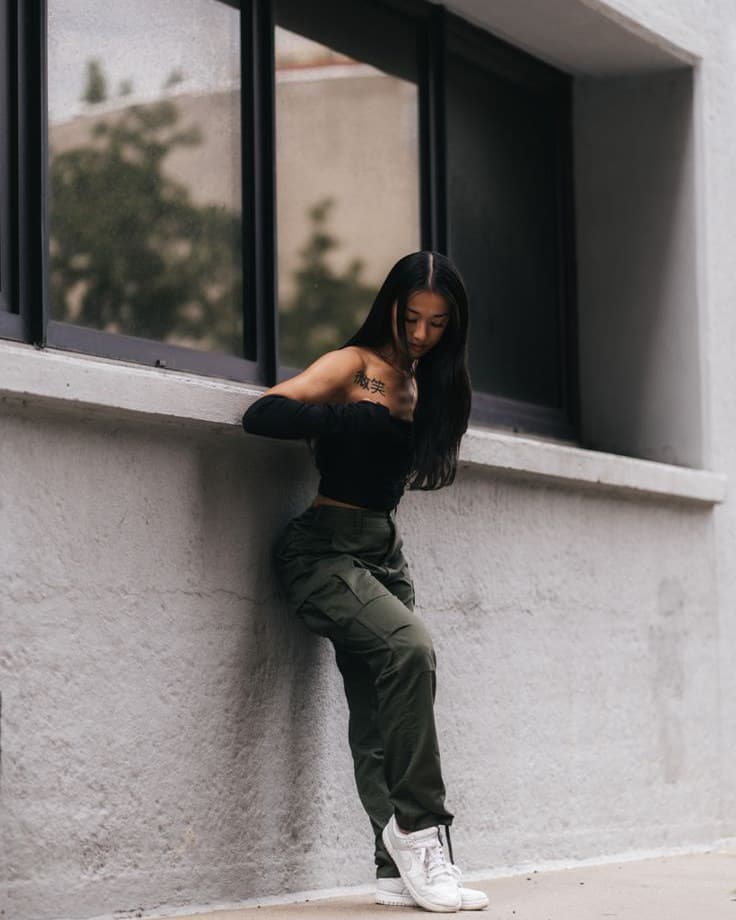
Two details keep that from being destructive. The kept region is padded back outward before the cut, so an outstretched sleeve or the toe of a boot at the edge does not get shaved off. And if the region already covers nearly the whole frame, no crop happens at all, because there is nothing to strip and tightening an already clean photo only throws away information. The opposite case is handled too: when the person is lost in the frame, a screenshot with letterbox bars or someone photographed from across the street, Koral zooms into what is left and looks again, so a distant outfit is read at a useful size rather than as a smudge.
How it differs from a reverse image search
A general reverse image search is very good at the job it was built for, which is finding where an image lives. Hand it a screenshot and it compares the whole rectangle, caption and buttons included, against everything it has indexed. If a sticker takes up a third of the frame, a third of what it is matching on is the sticker. The answer it gives back is honest and usually useless for shopping: here is the original post, here are four boards it was pinned to, here is a stock site that scraped it.
Screenshot shopping asks a narrower question and throws more away to ask it. Instead of "what does this whole picture resemble," it is "what garments are in this picture once the noise is gone, and where does each one sell." That reframing is doing most of the work. Koral is not out-matching anyone at raw image similarity, and it would be a strange thing to claim, since the heavy lifting there runs on the same commodity machinery everyone else uses. What it does differently is ask better questions and discard the wrong answers: garment categories rather than generic object labels, one search per piece rather than one for the frame, and a hard line about which sources are allowed to be an answer at all.
The gain is not better matching. It is asking a better question, and refusing the wrong answers.
The caption is not a search term
People assume the words on a screenshot help. They do not, because they are gone before the search runs: the caption, the hashtags and the sound name are outside the content crop. The only words that count are the ones you type yourself when you upload, and even those get filtered.
Occasion words are kept out of the query, because "festival", "wedding" and "date night" describe an evening rather than a garment, and they pull results towards whatever a retailer has decided to merchandise under that word. What replaces them is a description of the thing itself: category, material, construction, fit. Every query is also gendered rather than left neutral, which sounds trivial and is the single biggest source of junk in clothing search. And on bottoms, fit and cut outweigh colour, because straight, wide-leg, bootcut and tapered are the difference between the trousers in the picture and a completely different pair in the same shade.
festivaloutfitinspo,blackmeshtop
The occasion and the mood words go, the department is made explicit, and on bottoms the silhouette outranks the shade.
Where the results are allowed to come from
There is one failure mode unique to this starting point: you screenshot an outfit from Pinterest, search it, and get sent back to Pinterest. A full circle, no closer to owning anything. So the platforms screenshots come from are blocked as result sources outright, alongside magazines, blogs and aggregators that rank well and sell nothing, and the marketplaces built around cheap replicas.
Verified retailers come first. Resale is left out rather than banned, and comes back in whole when it is genuinely a large share of what exists for that piece, which for anything vintage or sold out is exactly where the item actually lives. Region matters too: currency and retailer domains are matched to where you are searching from, so a link that resolves to the wrong country does not count as an answer.
One frame, a search for every piece
Once the furniture is gone, the frame stops being treated as one thing. This is the part that separates shopping a screenshot from searching it: an outfit is several products, and a single blended query structurally cannot answer "I want that outfit". Here is what runs, in order.
- 1
The content region is worked out first
Before anything else touches the image, Koral finds the part of the frame that holds real-world objects and cuts the rest away, so the caption and the buttons never reach the search.
- 2
The subject gets separated from the room
The background is removed and the frame is read for objects, so a lamp behind someone or a rail of clothes in a shop mirror does not get mistaken for what they are wearing.
- 3
Each detected region is matched to a garment
The regions found in the frame are lined up against the garments the outfit is expected to contain, which is what stops a bag that covers half a jumper from poisoning that jumper.
- 4
Every garment is cropped out and searched alone
Every piece from the one screenshot, each searched as its own image, so no single blended query has to stand in for a whole outfit.
- 5
Footwear gets a second, closer look
Shoes take up a tiny share of a full-body frame, so they get a zoomed pass of their own that names the closest well-known model instead of settling for the colour and the word trainers.
- 6
Results come back head to toe
One row per garment, outerwear ahead of tops because a coat is the outermost thing visible in the shot, not because it matters more than what is under it.
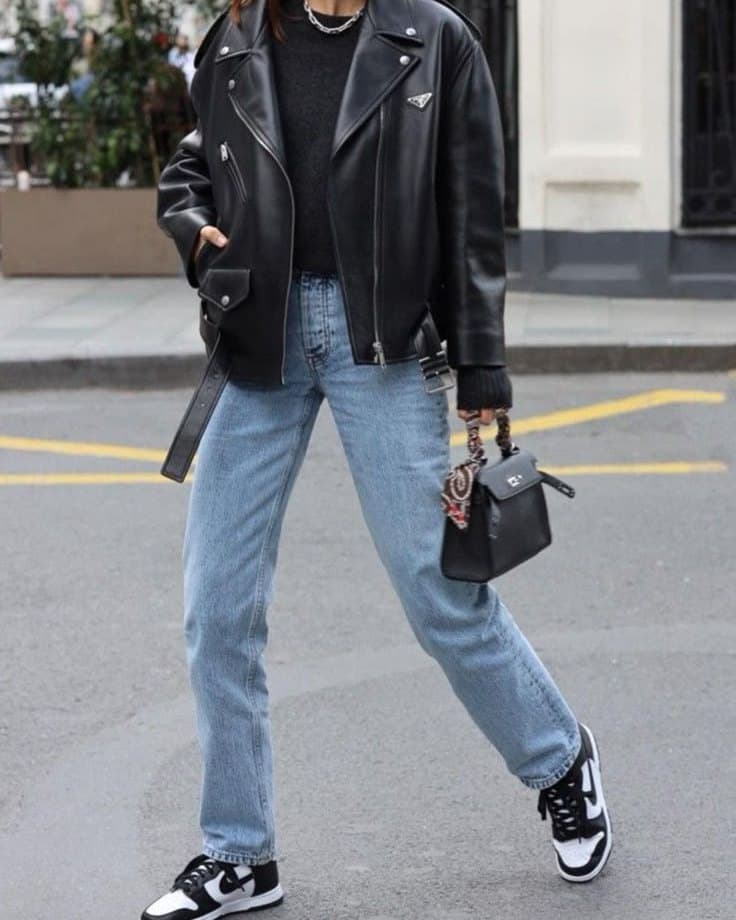
- 01Leather jacketCropped out and searched on its own, separate from everything else in the frame.
- 02Straight-leg jeansIts own crop too. Fit and cut are weighted above colour on bottoms.
- 03TrainersA zoomed second pass, since shoes lose their detail at full-body resolution.
Not every screenshot is equally easy to search
The source the screenshot came from changes what comes attached to it, and that changes how much work there is to do before the clothes are the only thing left.
| Where the screenshot came from | What it arrives carrying | What to expect |
|---|---|---|
| A paused TikTok or Reel | Play controls, a progress bar, a caption, a sound name, and whatever pose the video was in when you paused it | Good on a still, clear moment. The frame you paused on matters more than anything else you can control |
| An Instagram post or story | Handles and stickers that often sit across the outfit rather than around it, plus the app's own filter baked in | Fine when the overlays sit on the background. Harder when a sticker lands on the garment itself |
| A Pinterest pin | Usually the least furniture of any source, because a pin is normally already close to a clean photo | The easiest screenshot to search well, and often the sharpest copy of a widely reposted image |
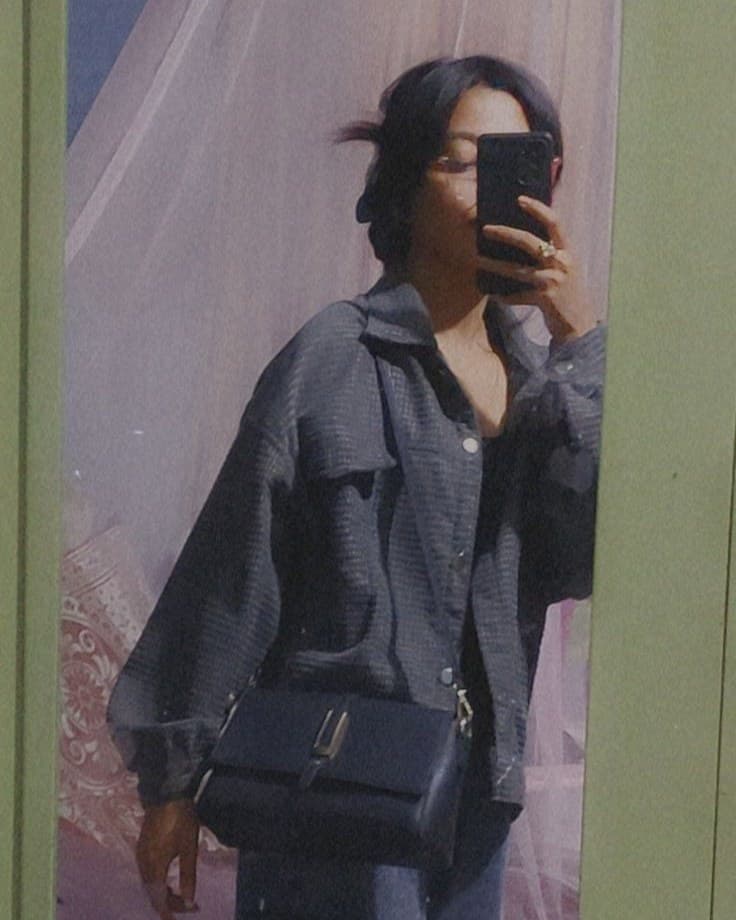
| A friend's mirror selfie | A mirror frame, a phone, a bedroom behind the outfit, and often a heavily compressed re-send | Works, and the clutter around the edges is exactly what the content crop is for |
| A photo you took yourself | Nothing. There is no interface on it and no second-generation quality loss | The best possible starting material. Take one of these instead whenever the thing is in front of you |
Other names for roughly the same thing
Screenshot shopping overlaps with a few terms people already use, and the differences between them are worth being precise about. Visual search is the broadest of them: searching with a picture instead of words, about anything, a plant or a landmark or a chair. Reverse image search is narrower and different in kind, since its answer is a list of places that image appears rather than a list of things in it.
Shop the look is a retailer's phrase for a styled set they already sell together, which is a merchandising layout rather than a search. Screenshot shopping is the one that starts from a picture you did not stage, of clothes nobody arranged for you, from a source that has no interest in telling you where any of it is from.
When to reach for it, and when not to
Screenshot shopping is the right tool exactly when it sounds like it should be: the screenshot is all you have. The video is gone, the pin links to a dead blog, the outfit was in someone else's story and expired a day later. In that situation the screenshot is your only evidence, and it is worth cleaning up rather than abandoning.
It is the wrong tool when you could just take a photo. If the garment is in front of you, on a friend, on a rail, in your own wardrobe, photograph it. There is no interface to remove, no compression to work around, no pose frozen at the wrong moment, and the search starts from better material. The whole content-crop stage exists to recover ground a screenshot loses, and a photo never loses it.
If the same outfit is saved twice, search the copy closest to the original post. A screen recording someone re-uploaded is doing you no favours, and one clear still beats three blurry ones.
Where this does not work
Cropping the furniture away fixes the problems that come from the screenshot being a screenshot. It cannot fix the problems that come from the picture itself, and those are real.
- Chrome that sits across the clothes rather than around them is the hardest case there is. A caption block or a sticker printed over a sleeve cannot be removed without taking part of the sleeve with it, and no amount of cropping recovers pixels that the overlay is covering.
- A frame paused mid-movement stays a bad frame. If the screenshot catches someone stepping, turning, or reaching, their own body is hiding part of the outfit, and the search can only read what the camera actually captured. Scrub back a second and grab a stiller moment instead.
- A screenshot of a screenshot of a repost has been through compression several times over. Detail softens and colour drifts a little each pass, which narrows the results rather than breaking them. If you saved the same outfit twice, search the copy that is closest to the original.
- A frame cropped too tightly gives the search nothing to work with. A close-up of a cuff or a hemline has no silhouette in it, and silhouette is most of what identifies a garment. The same is true of a heavy filter that has shifted every colour in the frame away from what the fabric actually is.
- Some outfits have no exact match to find. A bespoke piece, a charity shop find, or something discontinued years ago exists once and is not in anyone's live inventory, so the honest outcome is the closest sibling rather than the item itself.
Frequently asked questions
Related guides
Got a screenshot sitting in your camera roll?
Upload it and see what comes back. The caption, the buttons and the rest of the app get cropped out before anything is searched, and every garment left in the frame gets a search of its own.
Start a search