How to Actually Shop the Outfits You've Saved
You've got a camera roll full of outfits you loved. Here's how to turn those screenshots and saved pins into things you actually buy, without redoing the search from scratch every time.
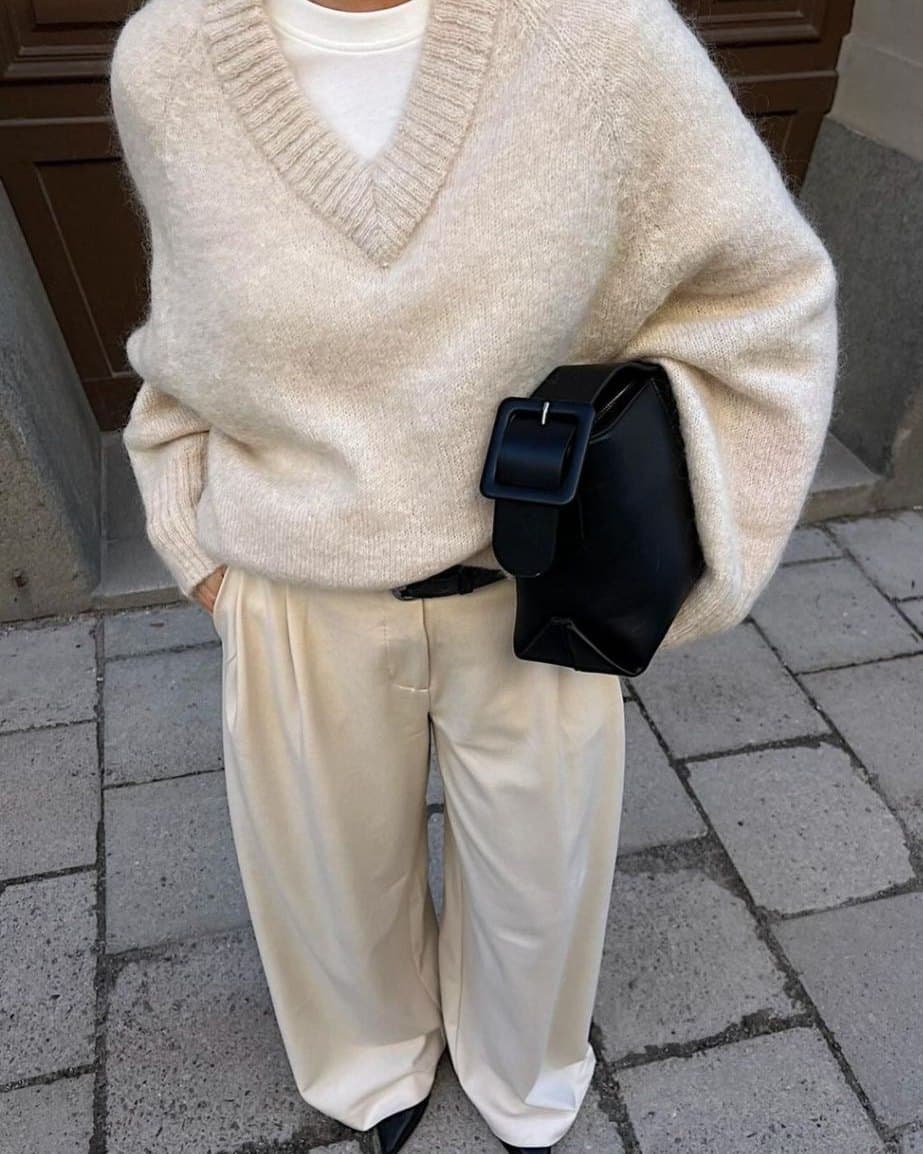
Koral is built for exactly this: give it the screenshot, the pin, or the camera-roll photo you already saved, and it crops out each visible garment, searches it against live retailer inventory, and hands back listings you can actually buy from. Saving a photo just means you liked something once. Shopping it means turning that same image into a checkout page, and that is the part most people never get around to doing.
The short version
- A screenshot, a repost, and a camera-roll photo all work exactly the same way. None needs special handling before you search it.
- If the saved post is a carousel or a collage, crop down to the one photo that actually shows the outfit you mean.
- Run the image through a search built for clothes, not a generic reverse image search, so it comes back with pieces you can buy instead of just the original post.
- Expect a close match more often than a perfect one, and treat that as a starting point, not a dead end.
- If the first results are close but not quite right, refine with a quick follow-up instead of starting the whole search over.
Saved is not the same as found
A saved outfit is a decision you already half made. You screenshotted it, pinned it, or reposted it because something about the fit, the colour, or the whole look stopped your thumb. That is the easy part.
The hard part is what happens next, or usually, what does not. The photo sits in a folder next to forty other outfits you also liked once, and finding it again does nothing to help you find where to buy it. Saving is passive. Shopping is active, it takes an actual search against actual retailer stock before a photo turns into something you own. Most camera rolls are full of outfits stuck at the saved stage because that extra step got skipped, not because the outfit was impossible to find.
Saving is passive. Shopping is active.
Pick the one photo that actually shows the look
Plenty of saved posts are not a single clean product shot. They are a carousel with five angles, a collage stitched together in an app, or a group photo where the outfit you want is on one person out of four. A search only sees what is in the frame, not what you meant by saving the post.
Before you search, crop or pick the single photo that isolates the actual look, ideally one person, one outfit, minimal background clutter. If the original was a multi-photo carousel, swipe to the shot with the clearest full-body view rather than the one with the best lighting. A collage with four small tiles searches worse than one full-size photo, even if the collage technically contains more information.
A repost counts the same as a screenshot
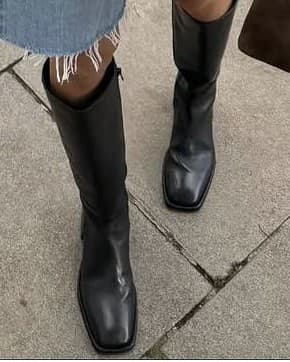
It does not matter whether the image is a screenshot you took yourself, a repin of someone else's board, or a repost three shares removed from the original outfit photo. Once it is a static image, the search treats it the same way: it looks at what is visible in the pixels, not who posted it or how many times it has been reshared.
The one thing that does matter is quality loss. Each repost, screen recording, or compressed re-save tends to soften detail and shift colour slightly.
If you saved the same outfit more than once, the closer one is to the original post, the better it searches. A heavily reposted screen recording is doing you no favours.
What gets thrown away before the search starts
A saved photo is rarely just the outfit. A screenshot off a phone carries a status bar, a caption, a row of interface buttons, and often the top of whatever post came next. None of that is clothing, and none of it should reach the search. It gets removed first, and you do not have to crop any of it yourself.
- 1
The interface gets cropped away first
Object detection runs across the whole image and brackets everything it recognises as a real-world thing. Interface furniture never makes that list, because a status bar, a caption and a row of share buttons are text and chrome rather than objects, so they fall outside the bracket and get cut. The crop keeps a margin around what is left, so nothing at the edge of the outfit goes with them.
- 2
An already clean photo is left alone
On a frame that is already almost all photo, nothing is cropped at all. That is what an ordinary full-frame picture looks like, and tightening it further would only risk trimming the outfit itself. The step exists for cluttered screenshots, not for every image you feed in.
- 3
Then the background goes, then the garments come out
Background removal runs on whatever survived the crop, and only after that does each garment get cut out and searched on its own. The order is the reason a messy room behind the outfit costs you nothing: it is gone before anything is being matched.
This is the practical reason a screenshot works as well as a clean photo. The thing that makes a screenshot look unusable, all the interface wrapped around the picture, is the part that comes off first.
A handful of garments, and the photo decides which
Koral only reads so many garments out of a single photo. That is a real ceiling rather than a rough guide, and on most saved outfits it never bites: a coat, a top, trousers and boots is already a whole look accounted for.
It starts to matter on a crowded photo. The pieces that get detected are ordered head to toe, by where they sit on the body, and that list is then cut at four. A photo carrying a hat, a coat, a top, jeans, boots and a bag does not get all six searched, and the ones that drop are the ones furthest down the order. So the shoes you actually saved the photo for can be the casualty of everything worn above them.
If one item is the whole reason you saved the photo, crop to that item and search it on its own. A single-garment crop spends the entire search on the thing you want instead of splitting it four ways.
Where you are searching from decides what you can buy
Saved outfits travel. The post that made you stop scrolling was probably shot in another country, and a link to stock you cannot order from is not an answer. Koral searches five regions, the UK, the US, the EU, Australia and Canada, and filters out listings priced in the wrong currency or sold on a domain that does not serve where you are, rather than ranking them low and letting them clutter the page. Inside the EU it narrows further to the country it can tell you are in, falling back to Germany when it cannot.
It is worth knowing that this means the same saved photo does not return the same list in two different countries. Same garment, different stock, and only one of the two lists is one you can check out from.
Run it through a search built for clothes
A generic reverse image search is built to find where an image lives on the internet, so it will happily hand you the original post, a handful of lookalike boards, and a stock photo site, but rarely a place to buy anything. It asks a better question about the picture than about the clothes in it, which is a different job entirely.
Koral is built around clothes specifically. It works from a garment taxonomy rather than generic object labels, gives footwear its own zoomed-in pass since shoes get lost at normal resolution, and weighs fit and cut over colour, especially for trousers and skirts where the silhouette matters more than the shade. Occasion words like "wedding" or "date night" do not survive into the query, and every search is gendered as men's or women's rather than left generic. In one photo, it detects and searches each garment on its own, then returns results head to toe, with outerwear ranked ahead of tops since it is the outermost thing actually visible in the shot.
weddingguesttrousers,sagegreen
The occasion goes, the department is made explicit, and for trousers and skirts fit and cut outweigh colour, since the silhouette matters more than the shade.
When results are close but not exact, refine instead of restarting
A search rarely lands on the exact item on the first try, and that is fine, treat the first set of results as a draft. If everything is a little too expensive, say "cheaper" and the next pass searches again under a lower price ceiling rather than dropping the expensive rows out of what you have. If one retailer keeps showing up and you do not want it, name it and it drops out. If you mentioned a colour two messages ago, it stays locked in even if your next message does not repeat it, so you are not re-explaining the whole outfit every time you want to narrow it down.
That is the difference between shopping a saved photo and just searching it once and giving up.
How the usual methods compare
Here is how the common ways people try to shop a saved photo actually stack up against each other.
| Method | What comes back | Effort | When it works |
|---|---|---|---|
| Browsing retailers from memory | Whatever you can find that roughly resembles it | High, a lot of scrolling | Only if you already half-recognise the brand |
| Asking in the comments or a caption reply | Sometimes an answer, sometimes nothing at all | Low, but no control over timing | The original poster is active and willing to share |
| A general reverse image search | The original post, plus lookalike boards and stock sites | Low | Tracking down the source, not buying anything |
| A dedicated clothes search like Koral | Buyable listings for each visible piece | Low | You actually want to check out |
Where this does not work
None of this works perfectly on every photo, and it is worth saying so plainly.
- A group photo needs to be cropped down to the one person, or the one item, you actually mean. Feed in four people standing together and the search reads a crowd, not an outfit. Koral only reads so many garments out of one photo, and that is per photo, not per person, so a group shot needs cropping before it can do its job properly.
- A saved photo is a moment in time and stock is not. An outfit you pinned two seasons ago can be read perfectly and still come back with nothing exact, because the piece has sold through or been discontinued since you saved it. What you get in that case is the closest thing currently buyable, which is a real answer, just not the one you were picturing.
- Some things just do not have an exact match anywhere on the internet. A bespoke piece, a vintage find from a shop that closed years ago, or something discontinued by the brand that made it has no true match to return. The closest you will get is the nearest visual sibling, not the exact item, and that is a limit of the item existing at all, not a limit of the search.
What actually happens when you search a saved photo
- 1
Each garment gets cropped out on its own
Koral crops every garment it detects out of the image and searches that crop by itself, so a full outfit shot does not get reduced to just the top or just the shoes.
- 2
Results come back head to toe
Outerwear is ranked ahead of tops, since a coat is the outermost layer actually visible in the photo, not because it matters more than what is underneath it.
- 3
Verified retailers are pulled first
Resale sites like Depop, Vinted, and eBay show up only when they are a genuine share of what is actually out there, never hidden outright but never force-fed either.
- 4
Marketplaces built around cheap replicas are blocked outright
Temu, AliExpress, DHgate, and Wish are blocked rather than ranked low, and whichever region you are searching from, currency and retailer domains match it automatically.
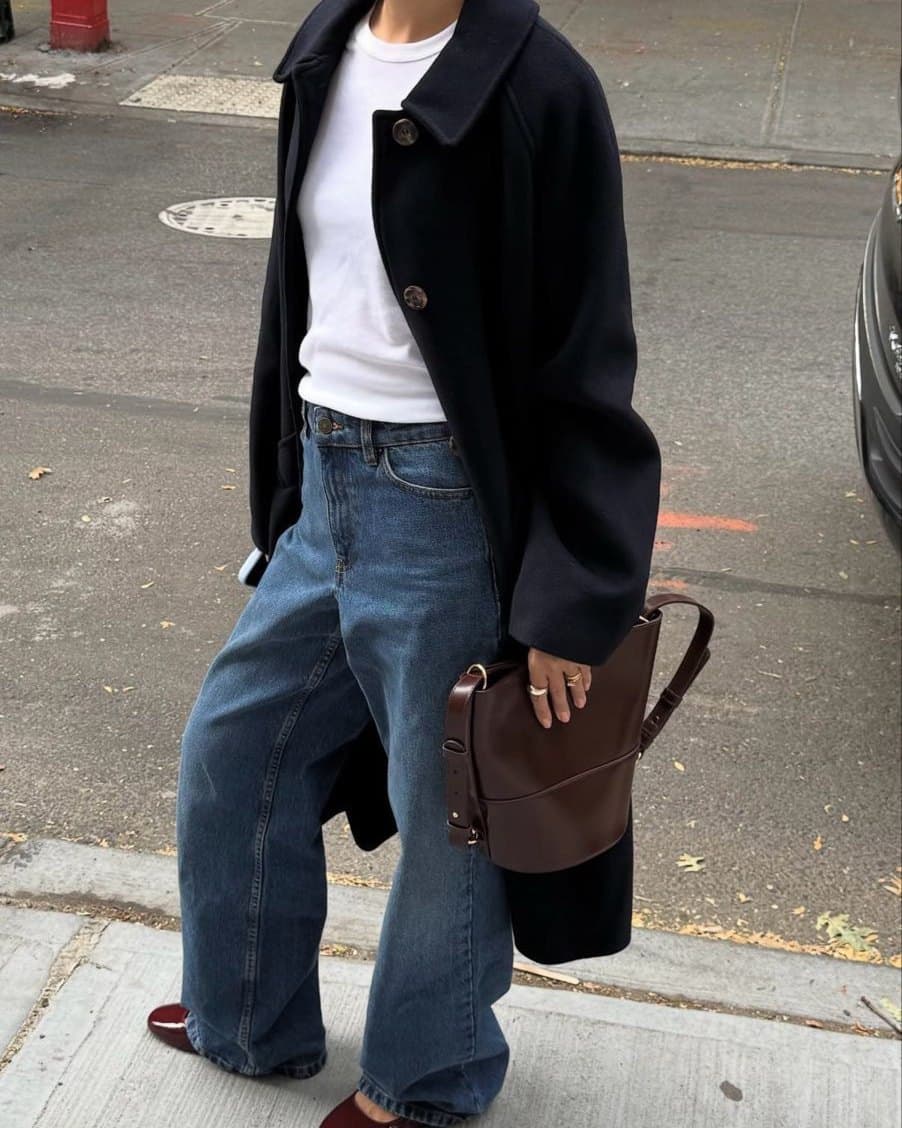
- 01CoatCropped out and searched on its own, separate from everything else in frame.
- 02JeansIts own crop too, one search per garment.
- 03ShoesShoes get a zoomed-in pass of their own, since detail is easy to lose at normal resolution.
Frequently asked questions
Related guides
Stop scrolling past the outfit you already saved.
Pull up the screenshot, the pin, or the post sitting in your camera roll and drop it into Koral. It crops out what you are wearing, or want to be, and searches each piece against real retailer stock, so you get something to actually buy instead of another photo to save.
Start a search